
Overview
On February 19th, 2020 TaroWorks led a deep dive session on Dynamic Operations Calculations. This article recaps the session and resources shared.
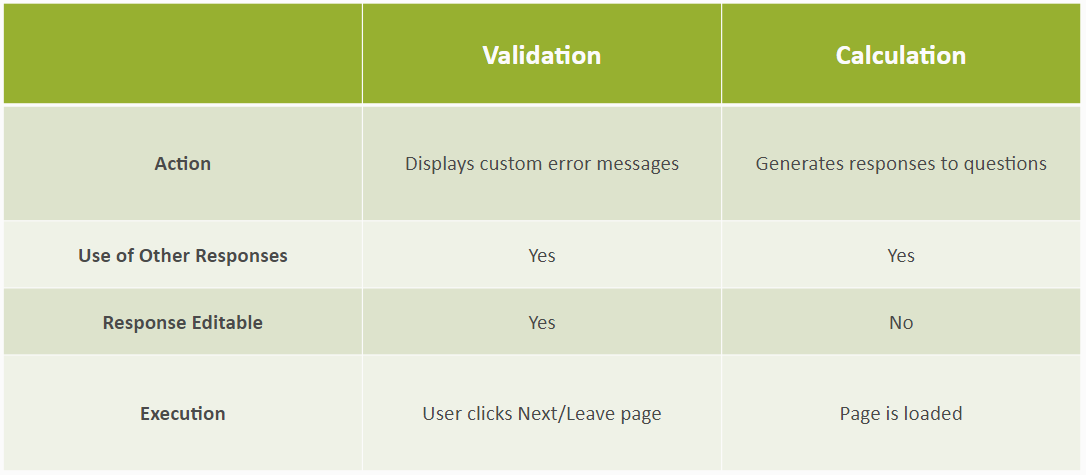
Dynamic Operations is a very powerful feature that allows you to run calculations for, or validations against form question responses. You can write custom JavaScript to run as either a calculation or a validation. This session primarily focuses on dynamic operation calculations. This feature allows you to write calculations for question responses which will be automatically populated and not editable.
Agenda:
Validations vs Calculations
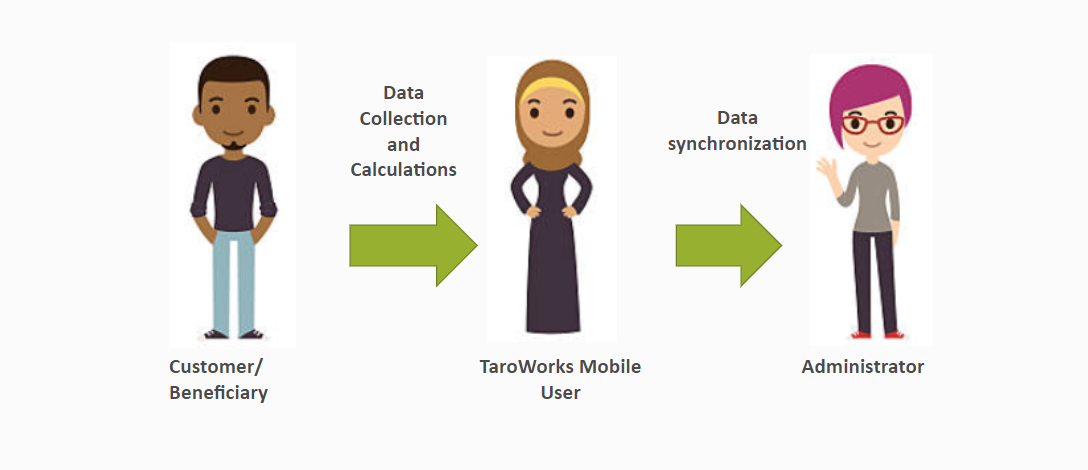
Purpose
- Improve the mobile user experience (reduces clicks)
- Increases the accuracy of data input into Salesforce
- Gives administrator flexibility to provide calculations offline to their mobile users
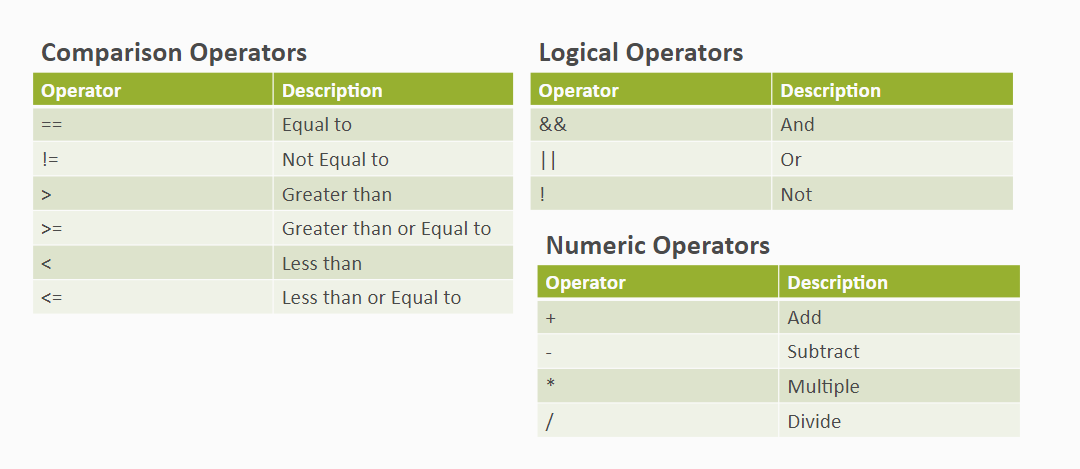
JavaScript Guidelines
JavaScript Guidelines - Operators
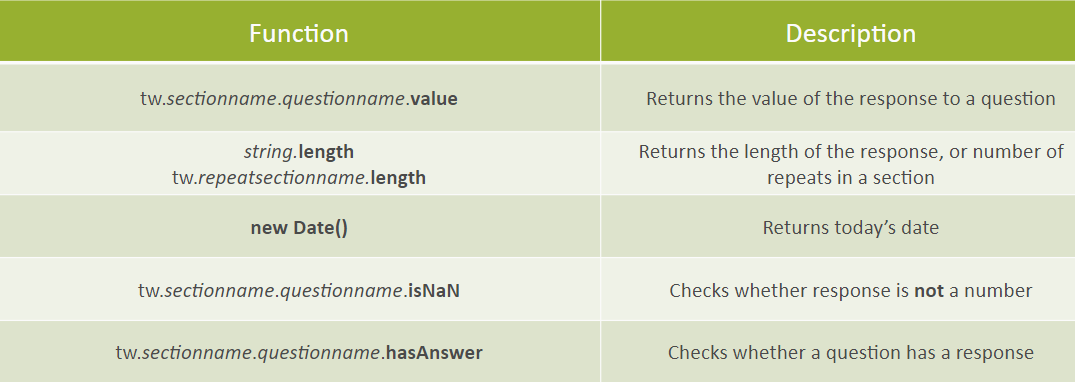
JavaScript Guidelines - Functions
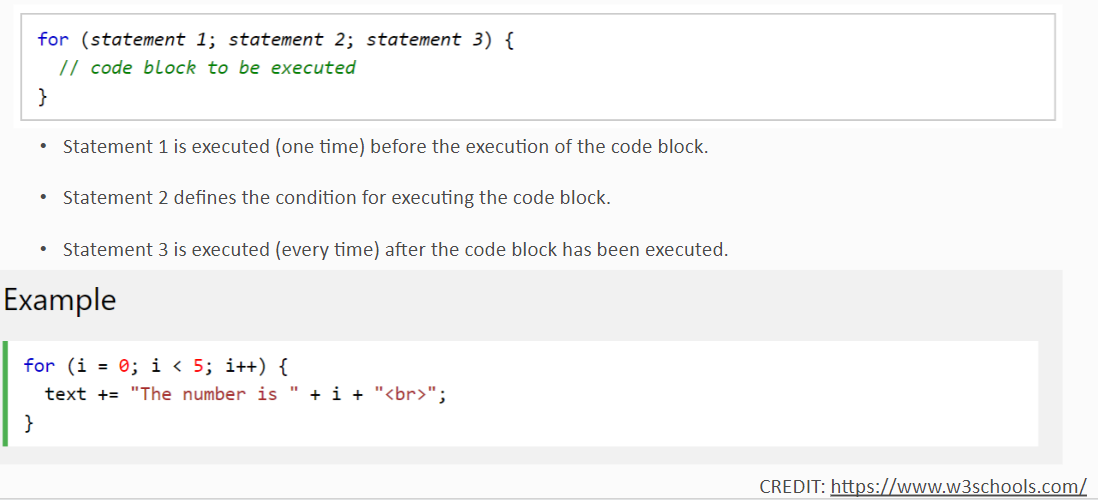
JavaScript Guidelines - For Loop
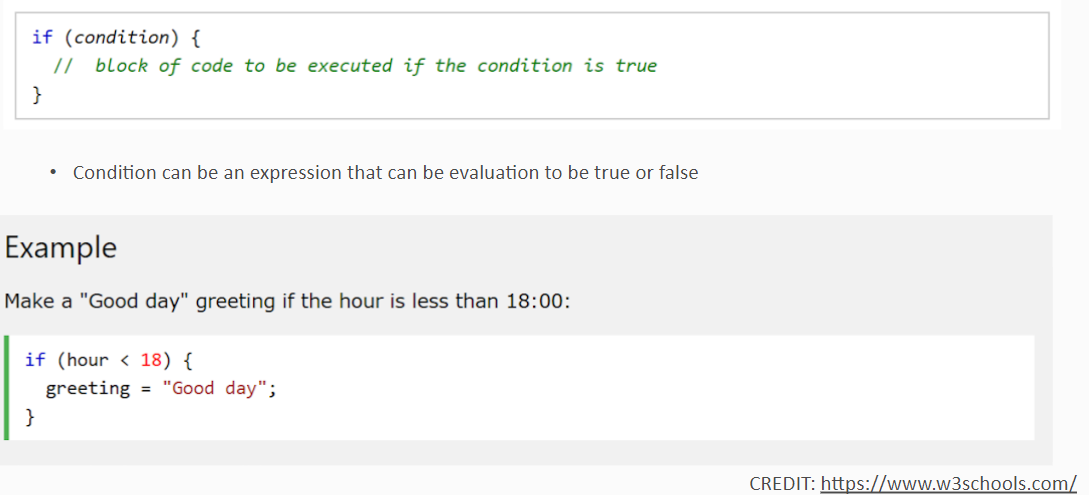
JavaScript Guidelines - if Statement
Use the if statement to specify a block of JavaScript code to be executed if a condition is true.
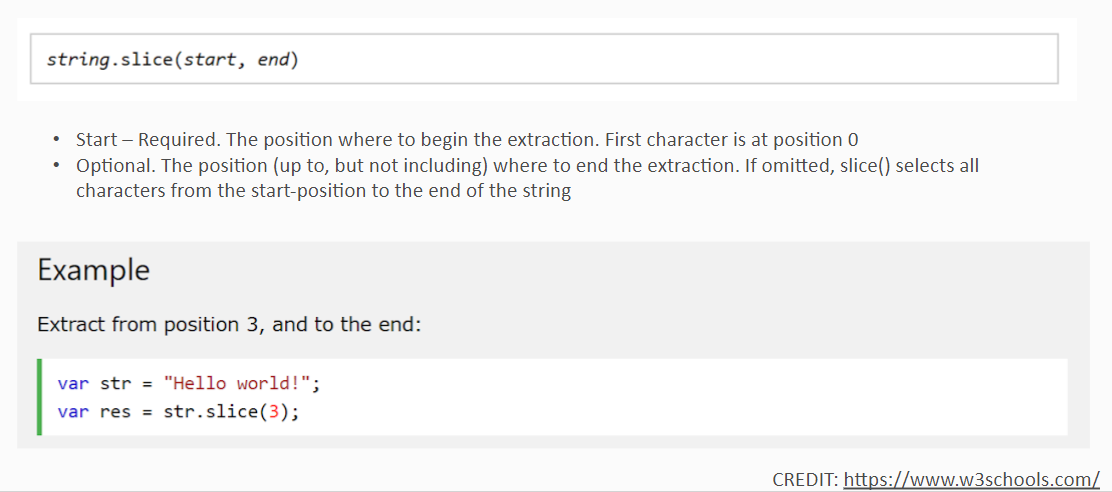
JavaScript Guidelines - slice ()
The slice() method extracts parts of a string and returns the extracted parts in a new string. Use the start and end parameters to specify the part of the string you want to extract. The first character has the position 0, the second has position 1, and so on.
Tip: Use a negative number to select from the end of the string.
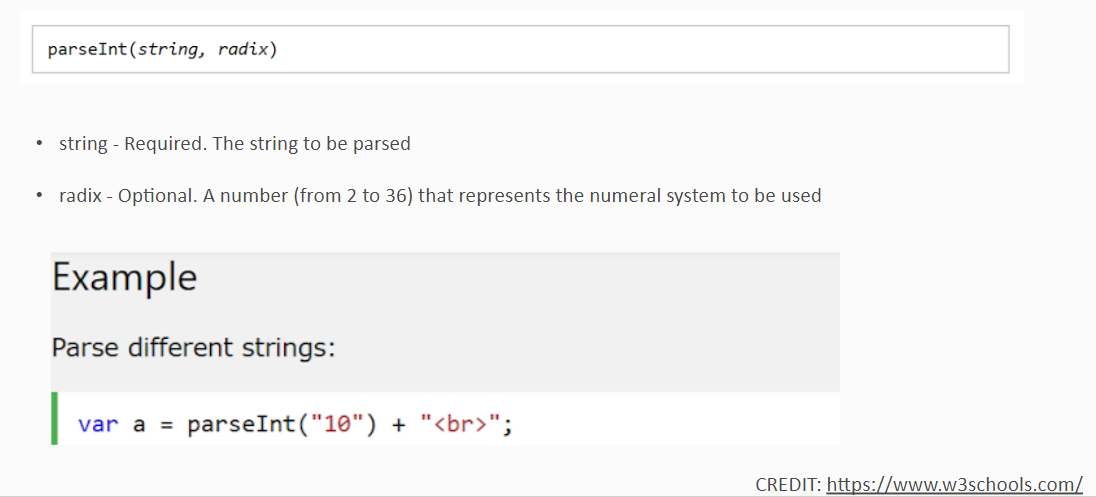
JavaScript Guidelines - parseInt()
The parseInt() function parses a string and returns an integer. The radix parameter is used to specify which numeral system to be used, for example, a radix of 16 (hexadecimal) indicates that the number in the string should be parsed from a hexadecimal number to a decimal number.
- If the radix parameter is omitted, JavaScript assumes the following:
- If the string begins with "0x", the radix is 16 (hexadecimal)
- If the string begins with "0", the radix is 8 (octal). This feature is deprecated
- If the string begins with any other value, the radix is 10 (decimal)
Note: Only the first number in the string is returned!
Note: Leading and trailing spaces are allowed.
Note: If the first character cannot be converted to a number, parseInt() returns NaN.
For more information on Dynamic Operations, here is a link to Dynamic Operations article in our user guide.
Comments
0 comments
Please sign in to leave a comment.