
This is for admins only so it is written up very rough...
- Go to https://developer.salesforce.com/page/Mass_Update_Anything
- Download and install the version for your OS
- It will ask you to log in:

- Enter username and password. If you have a security token, you will need to append it to the end of the password. For example, if your password is "myPassword" and your securitytoken is "XXXXXXX", you will enter "myPasswordXXXXXXX" into the password window.
- Once in, click query builder.
- Click the object. Wait a while, select the field(s). Make sure to select Id. See how the query builder changes.
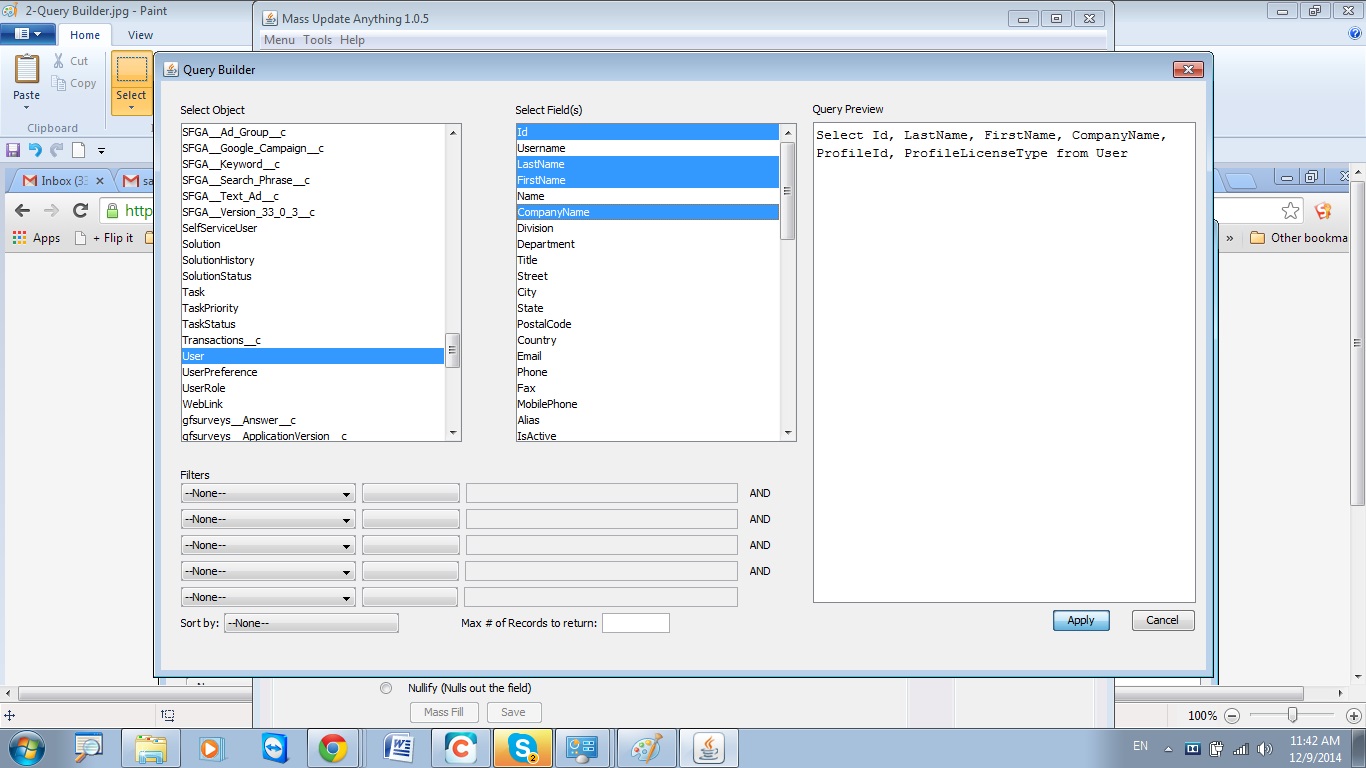
- Apply Filters that you need.
- Click Apply.
- You will be out in the Query Screen. Note that if you know SOQL (similar to SQL) and know all the field names you can just make queries directly without the steps from 5-8.
- Click Execute. You will see the result like below. (Note that you can't get more than 50000 records in one go.)
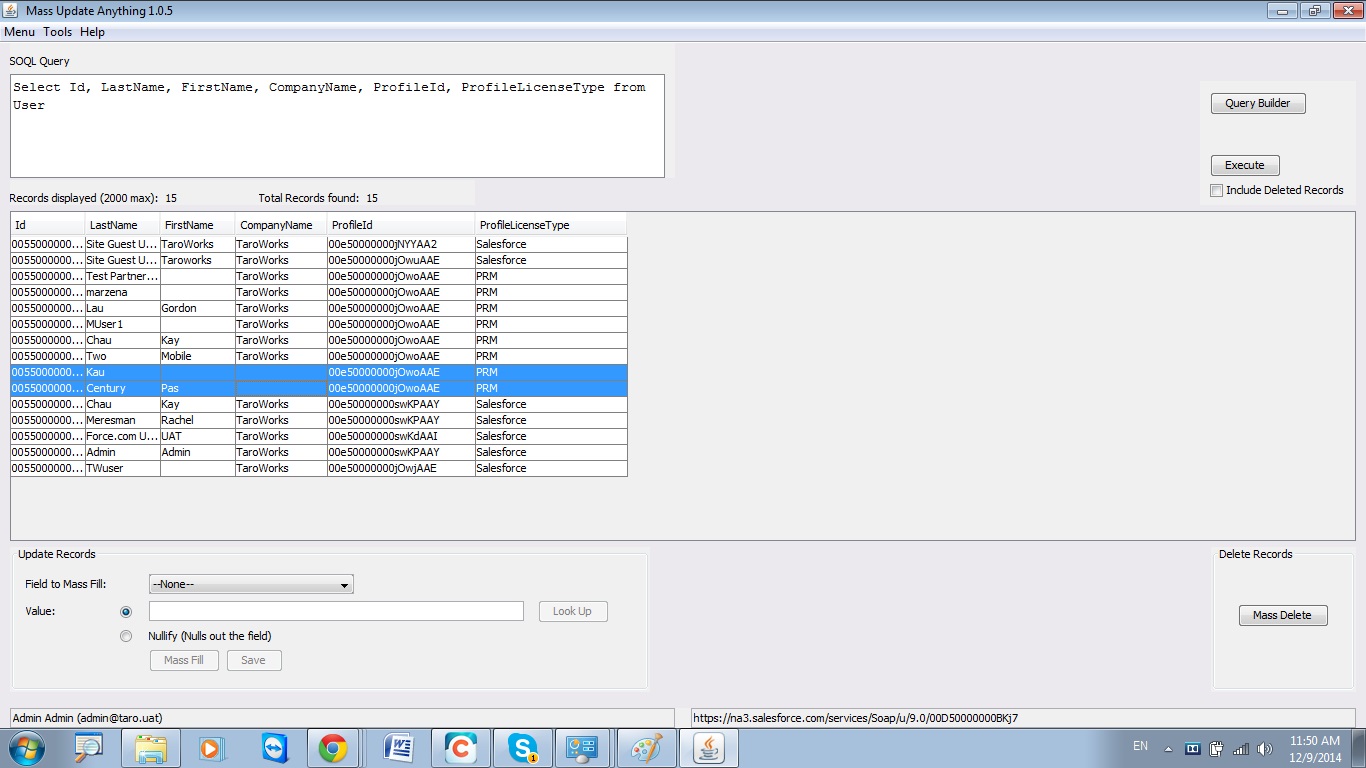
- Use the Update Records Section to change Values. Select which field to Mass Fill, add a new Value (or Nullify to clear) OR MASS DELETE IF YOU DARE.
- Click Mass Fill. The column will turn Yellow. THIS IS YOUR LAST CHANCE TO TURN BACK.
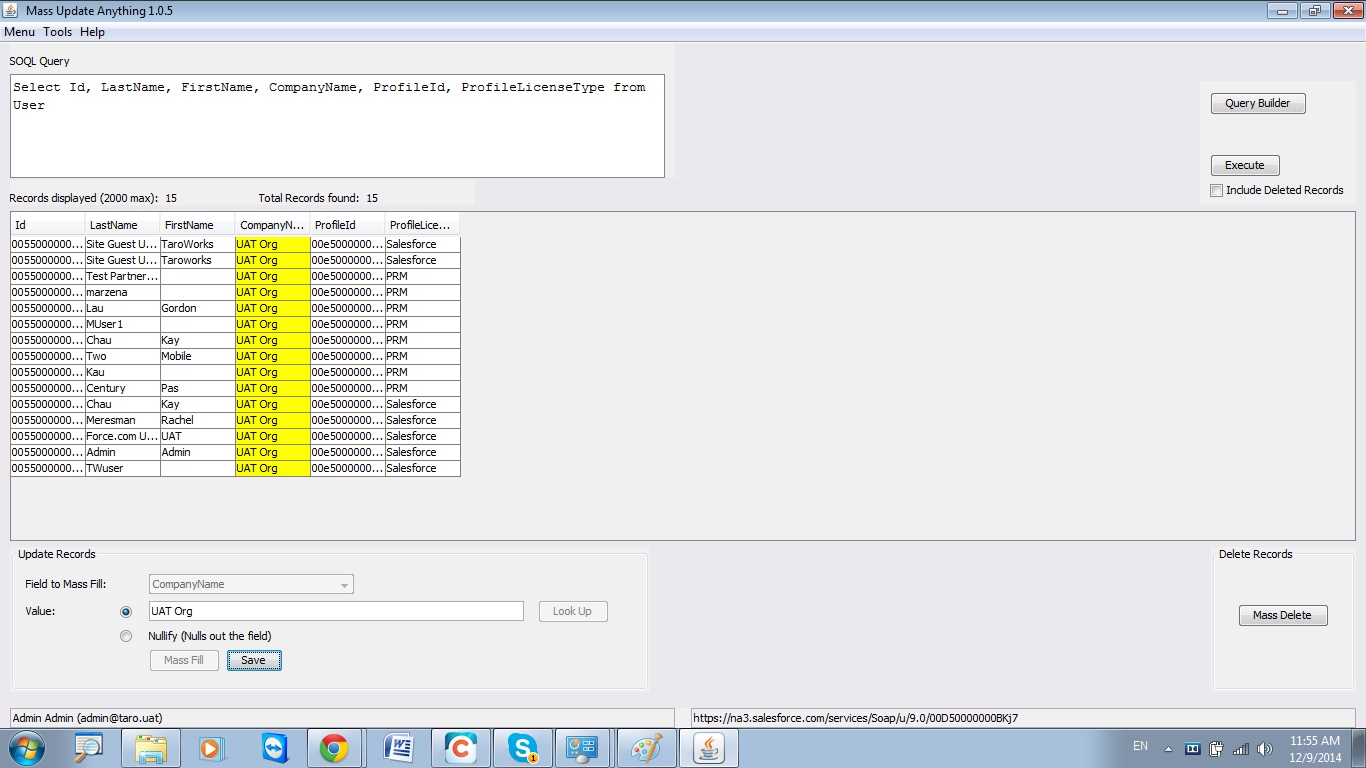
- Click Save to save changes.
- Congratulations on saving the day or ruining it.
Special Note:
For Updating the Company field for Users, just paste this query in:
Select Id, LastName, FirstName, CompanyName, ProfileId, ProfileLicenseType from User
The PRM license type stands for Partner Relationship Management (which COULD be TaroWorks Partner Users profile or not)
Comments
0 comments
Please sign in to leave a comment.