
Introduction
A Transfer Order is used when you want to track inventory movements within the organization. A Transfer Order results in the movement of inventory from a source warehouse to a destination warehouse.
A Transfer Order can move into a Completed status from either a Confirmed or a Shipped status. This depends on whether the order transitions through the Shipped status or not.
The steps required to complete a Transfer Order from Confirmed or Shipped status are the same. However, there are differences in how the Source and Destination inventories are changed.
A. Complete All of the Taro Order Line Items
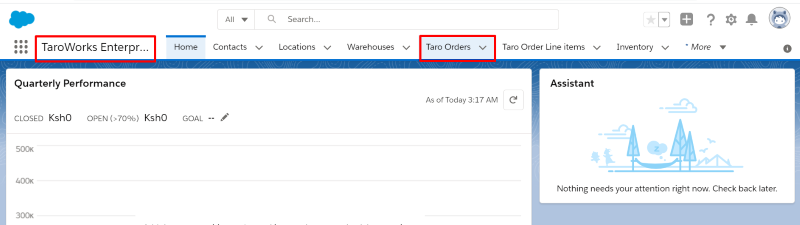
- Click on the Taro Orders tab from the TaroWorks Enteprise Application
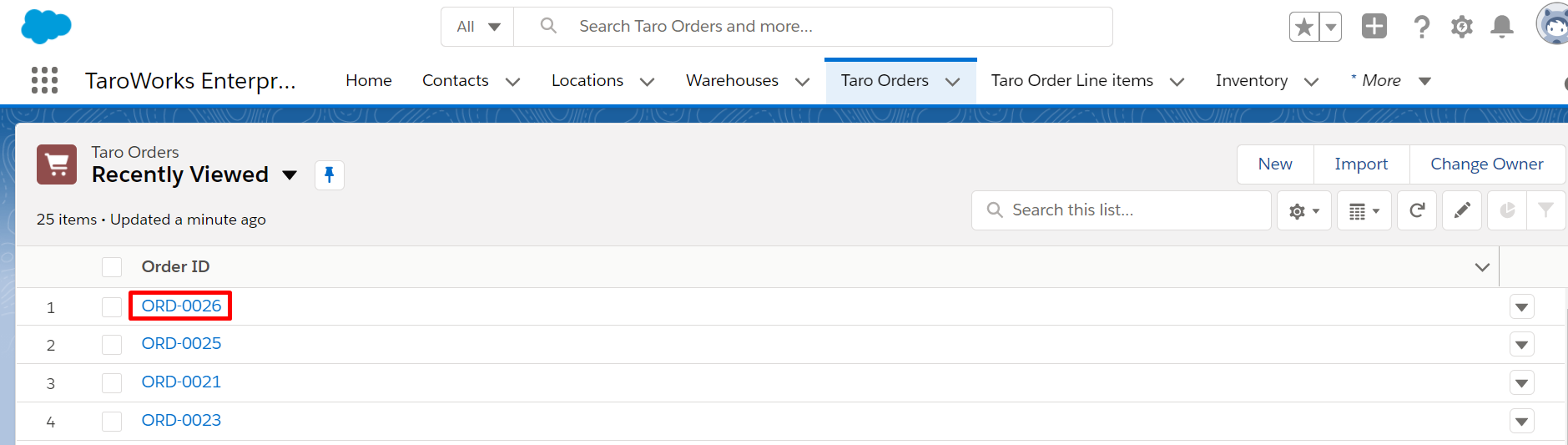
- Click on the Taro Order that you would like to Complete
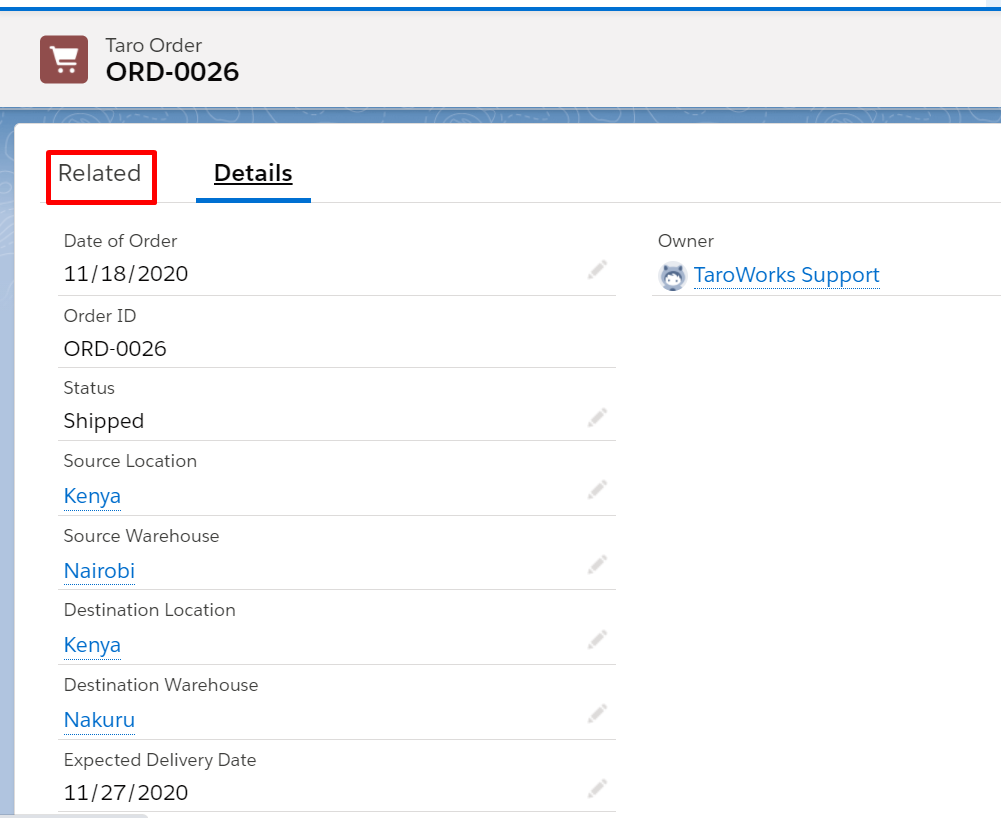
- Click on the Taro Order's Related tab
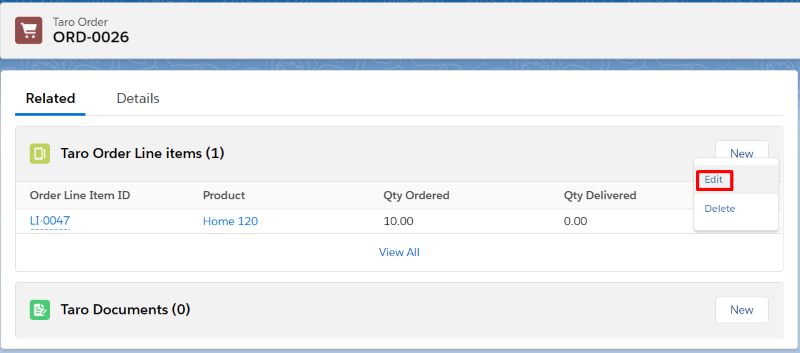
- Click on the downward facing arrow and then Edit on the Taro Order Line Item that you want to Complete
- Fill in the Delivery details for that Taro Order Line Item and click Save
Field Value Status Completed.
For an Order with Shipping, the status change is Shipped to Completed.
For an Order without Shipping, the status change is Confirmed to Completed
Last Delivery Date Date that the product was delivered to the Destination Warehouse Last Qty Delivered The quantity of the product that has been received at the Destination Warehouse 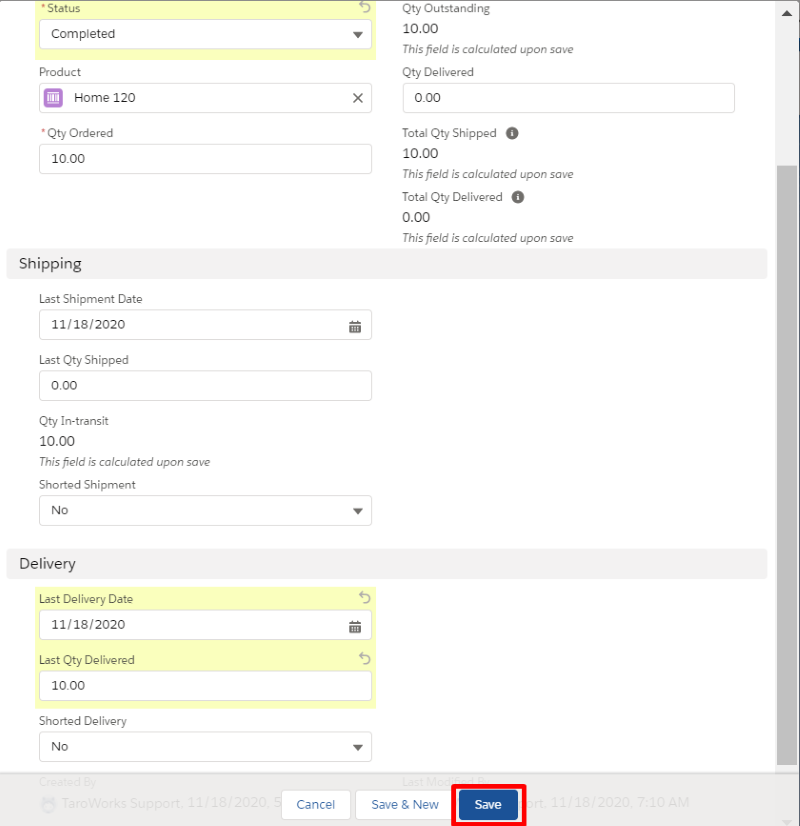
- If you have more than one Taro Order Line Item, you can repeat steps 4-5 to Ship these as well.
Once all Taro Order Line Items are in a Completed status, the status of the Taro Order will change to Completed as well.
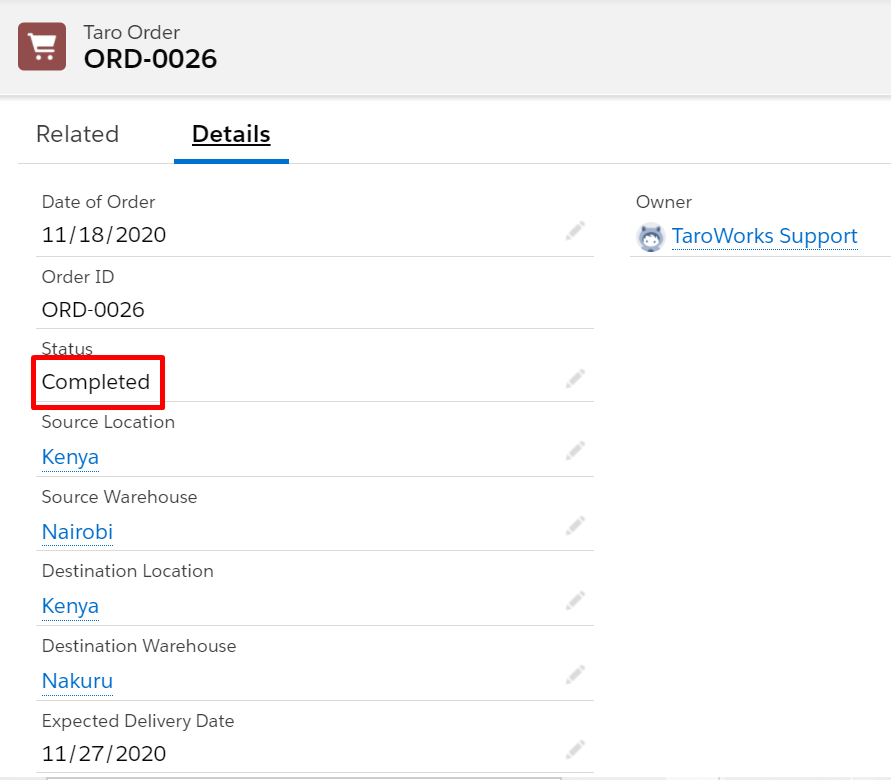
B. Source & Destination Warehouses Inventory Levels
With Shipping
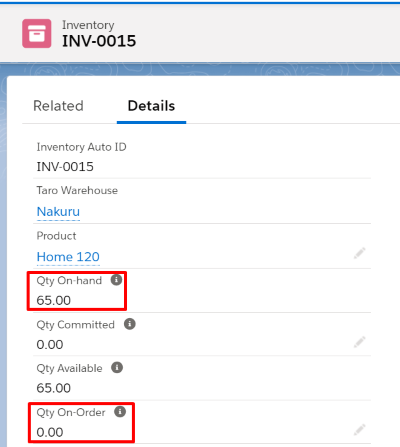
When a Taro Order moves through the Shipping status, the Qty On-Hand and Qty Committed are updated. The inventory is relieved from the Source Warehouse at this point. When that same order is Completed, therefore, the inventory is only updated at the Destination Warehouse.
Destination Warehouse:
- The Qty On-Hand increases by the Qty of product that was received
- The Qty On-Order decreases by the Qty of product that was received
From the example above, we can see 10 x Home 120 products have been Delivered to the Destination Warehouse
Without Shipping
If the Taro Order does not move through a Shipped status, the reservations and Qty On-Hand at the Source location are relieved at the point of delivery.
Source Warehouse:
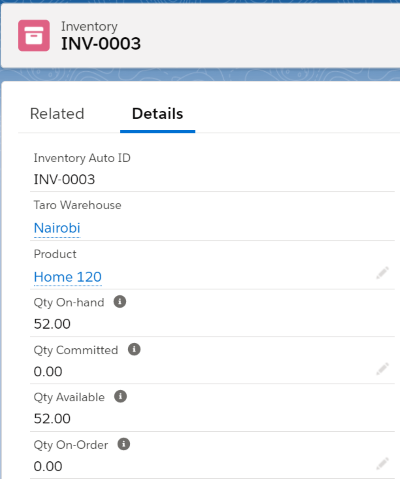
- The Qty On-Hand decreases by the Qty of the product that has been Shipped
- The Qty Committed decreases by the Qty of the product that has been Shipped
From the example above, we can see 10 x Home 120 products have been Shipped from the Source Warehouse
Destination Warehouse:
- The Qty On-Hand increases by the Qty of product that was received
- The Qty On-Order decreases by the Qty of product that was received
From the example above, we can see 10 x Home 120 products have been Delivered to the Destination Warehouse
Comments
0 comments
Article is closed for comments.