
You can narrow down the TaroWorks Mobile Users you may want to mass update using custom list views. Custom list views allow you to group your users in the ways that you'd like to manage them. You may want to create list views for groups of mobile users that would have public group membership or mobile record assignment in common. You can also add custom fields to the TaroWorks Mobile User object to be used for filtering records in your list view. The following are the steps to create a custom list view.
- Click on the TaroWorks Mobile Users tab.
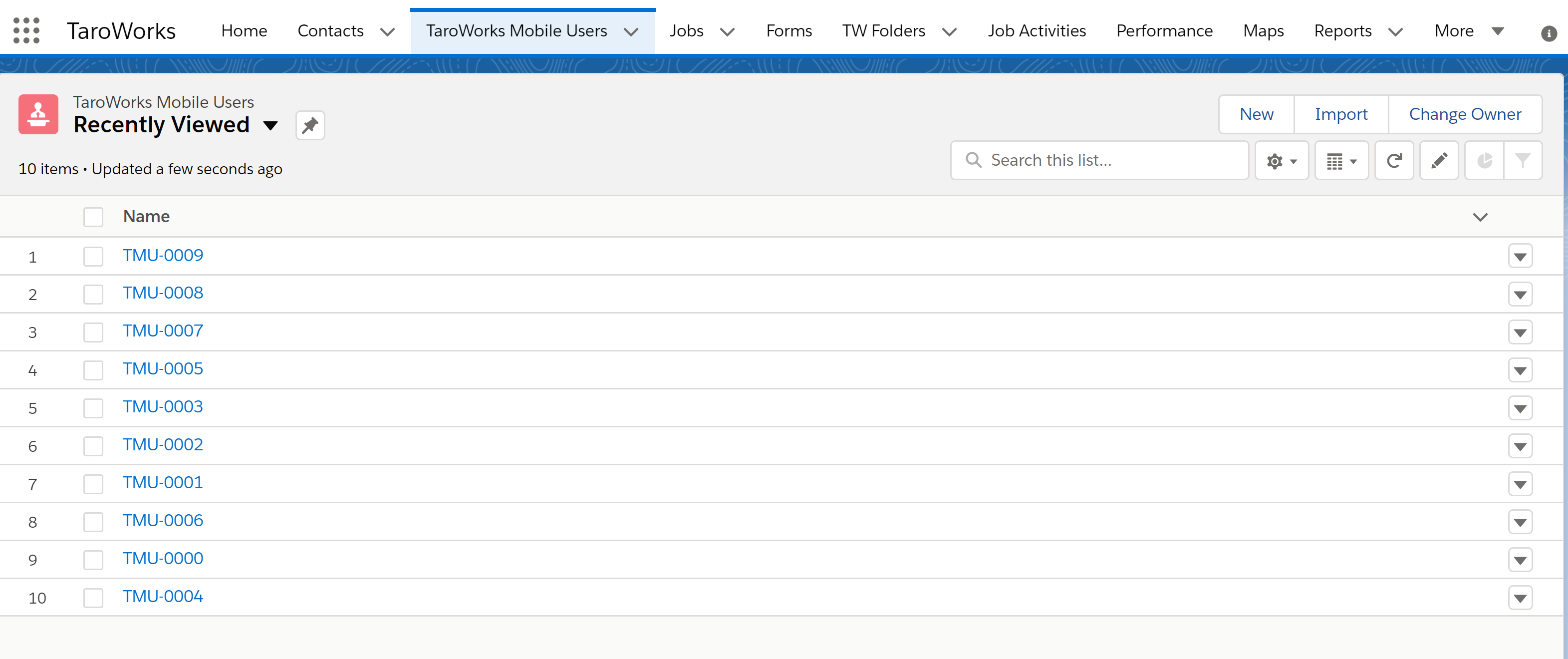
- Click on the gear icon and click on New.
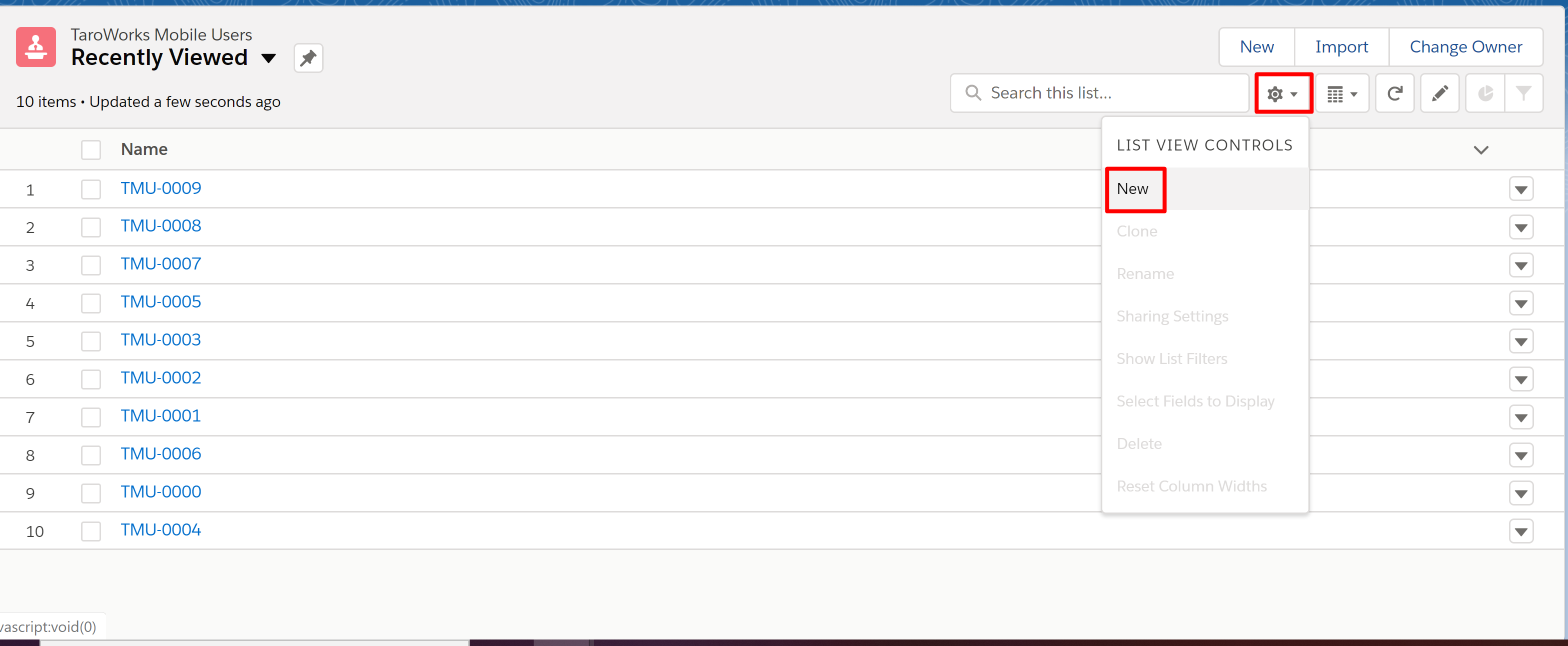
- Fill in a value for List Name and choose who will have access to this view. NOTE: The List API name will be populated automatically from the List Name.
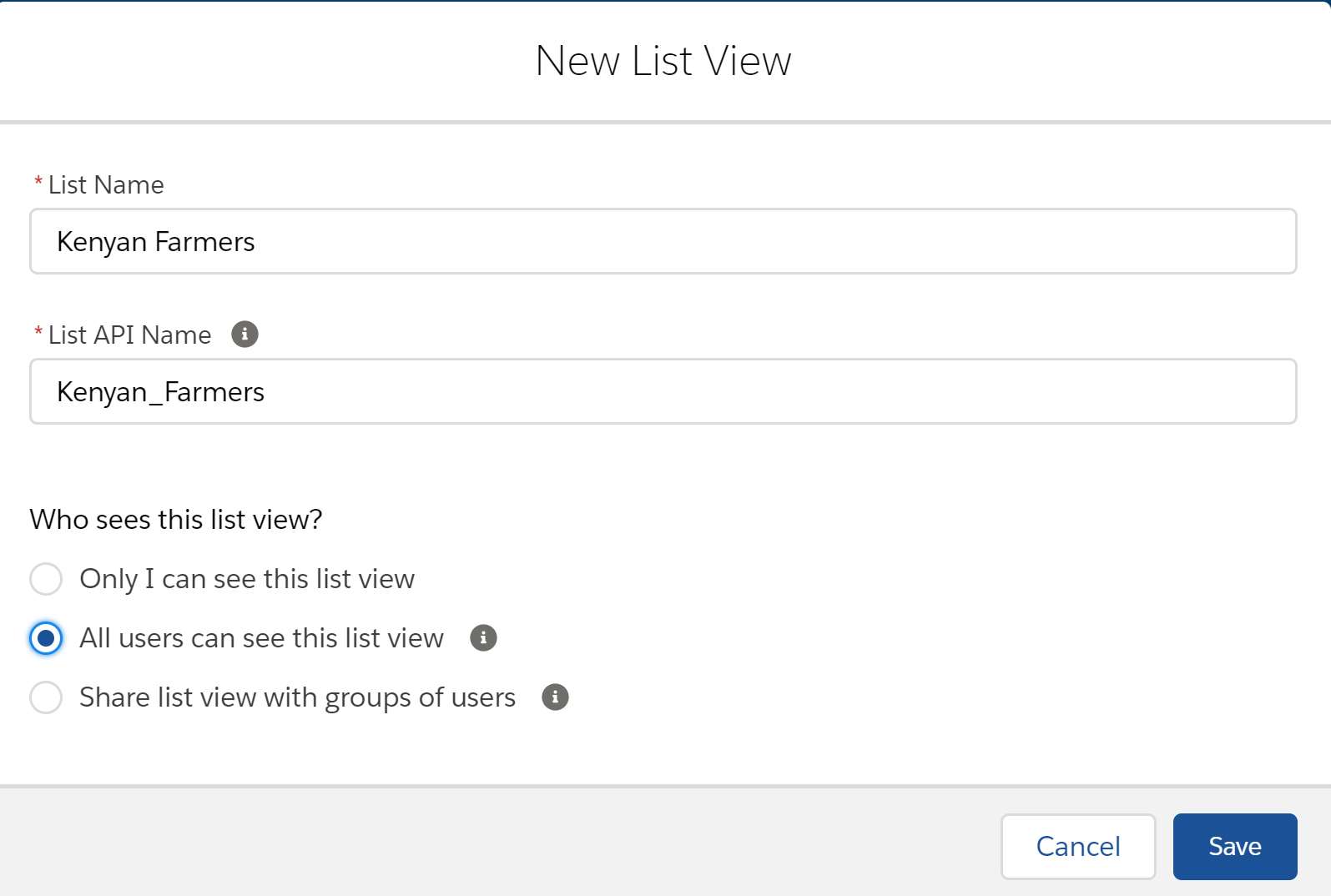
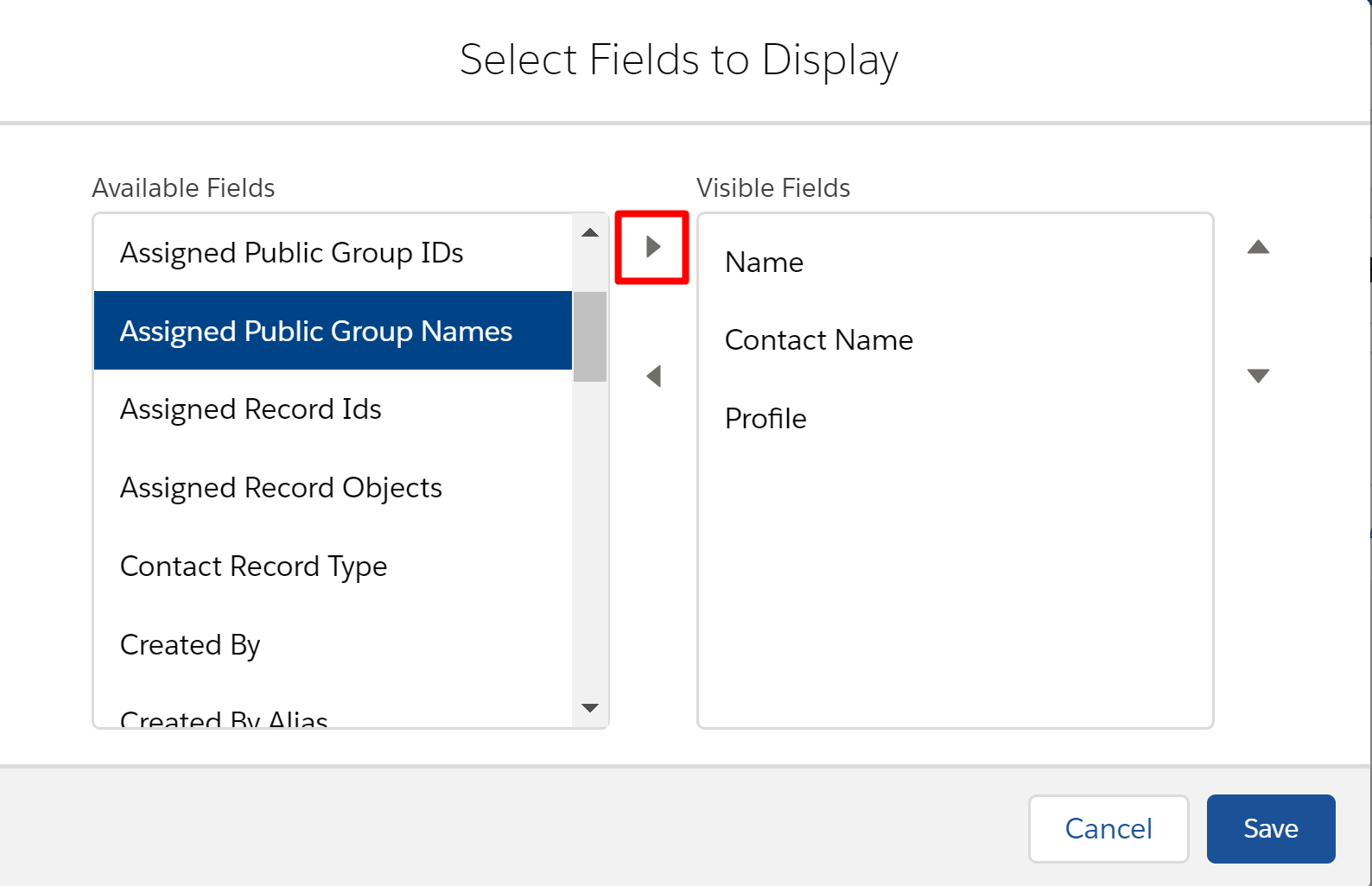
- To select which fields you want to display in this new view, click on the gear icon and then Select Fields to Display.
- Select the fields from the Available Fields column and click on the right facing arrow to add them to the Visible Fields column and click Save.
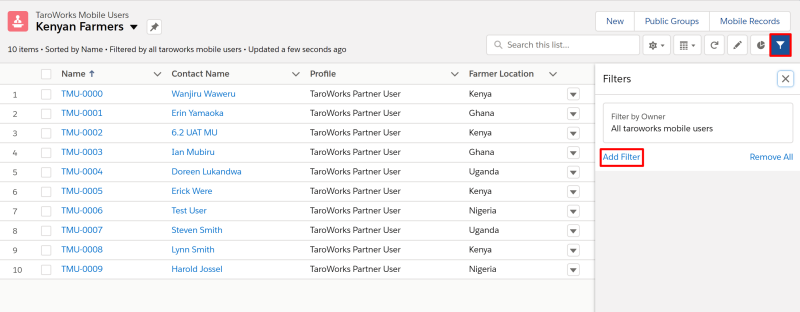
- To add filters onto your list view, click on the Filter symbol and click Add Filter.
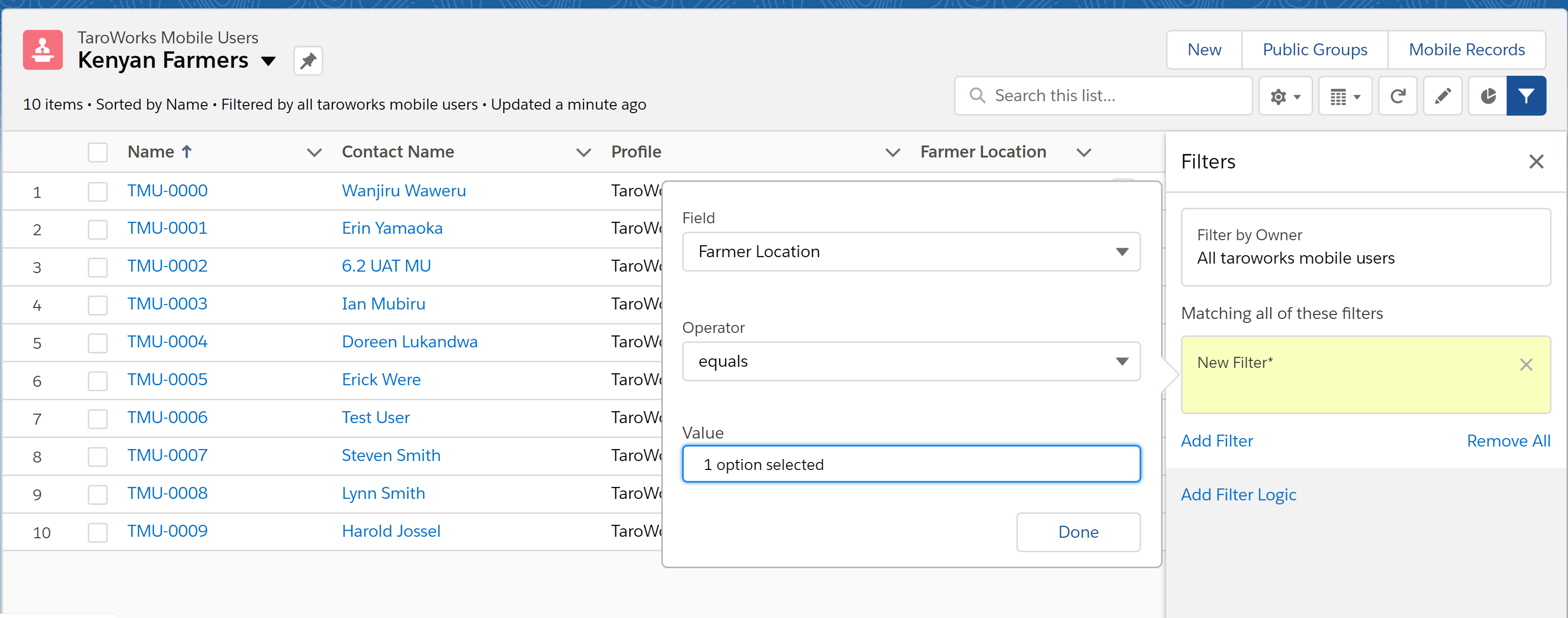
- Choose your Field, Operator and Value and click Done.
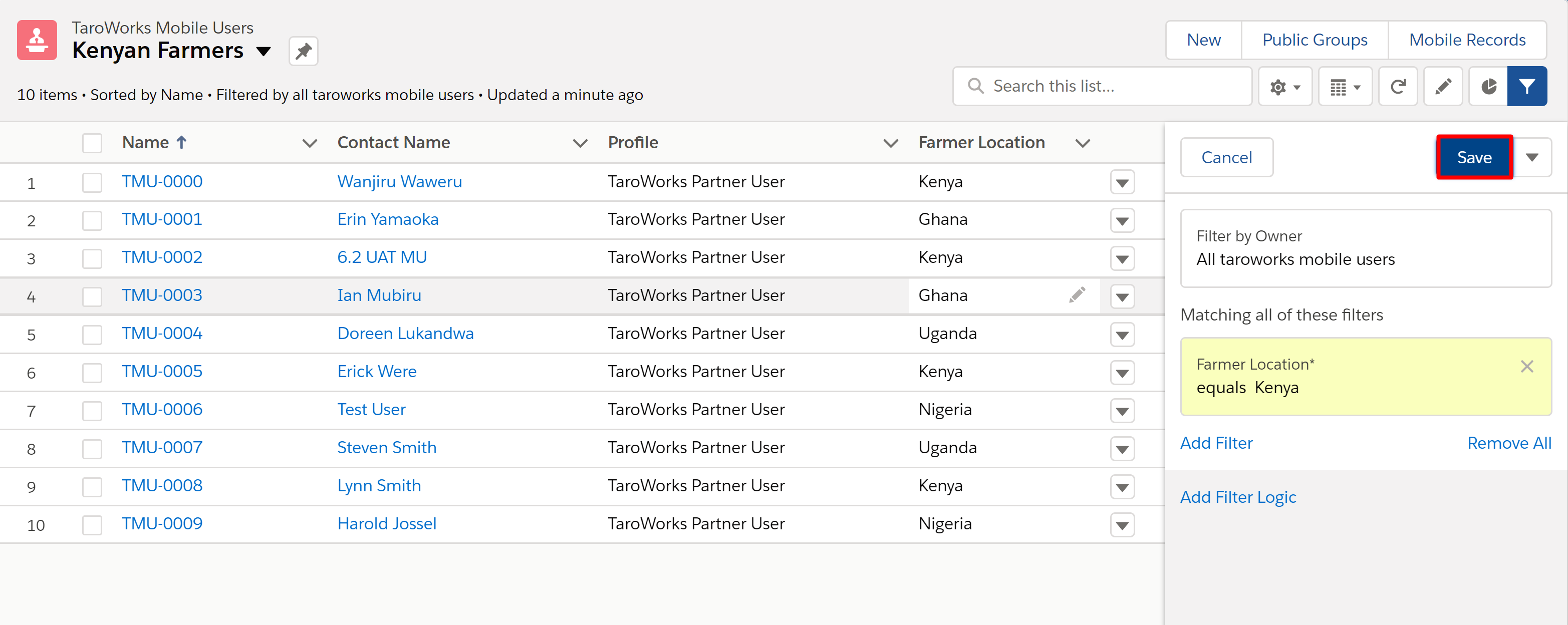
- Click Save.
Comments
0 comments
Please sign in to leave a comment.