
A TaroWorks license is required for any user who needs access to TaroWorks in the Salesforce back-end, or on a mobile device. You will need to 1) assign licenses when you start using TaroWorks, and 2) manage licenses as roles shift within the organization, by granting and/or revoking licenses. Here is more information about licensing in TaroWorks 3.0 and beyond.
SANDBOX: If you've created a sandbox for your organization from a production environment with TaroWorks you DO NOT need licenses for the sandbox and these steps won't apply. However you may need to create a partner account and add mobile users.
Granting a User a TaroWorks License
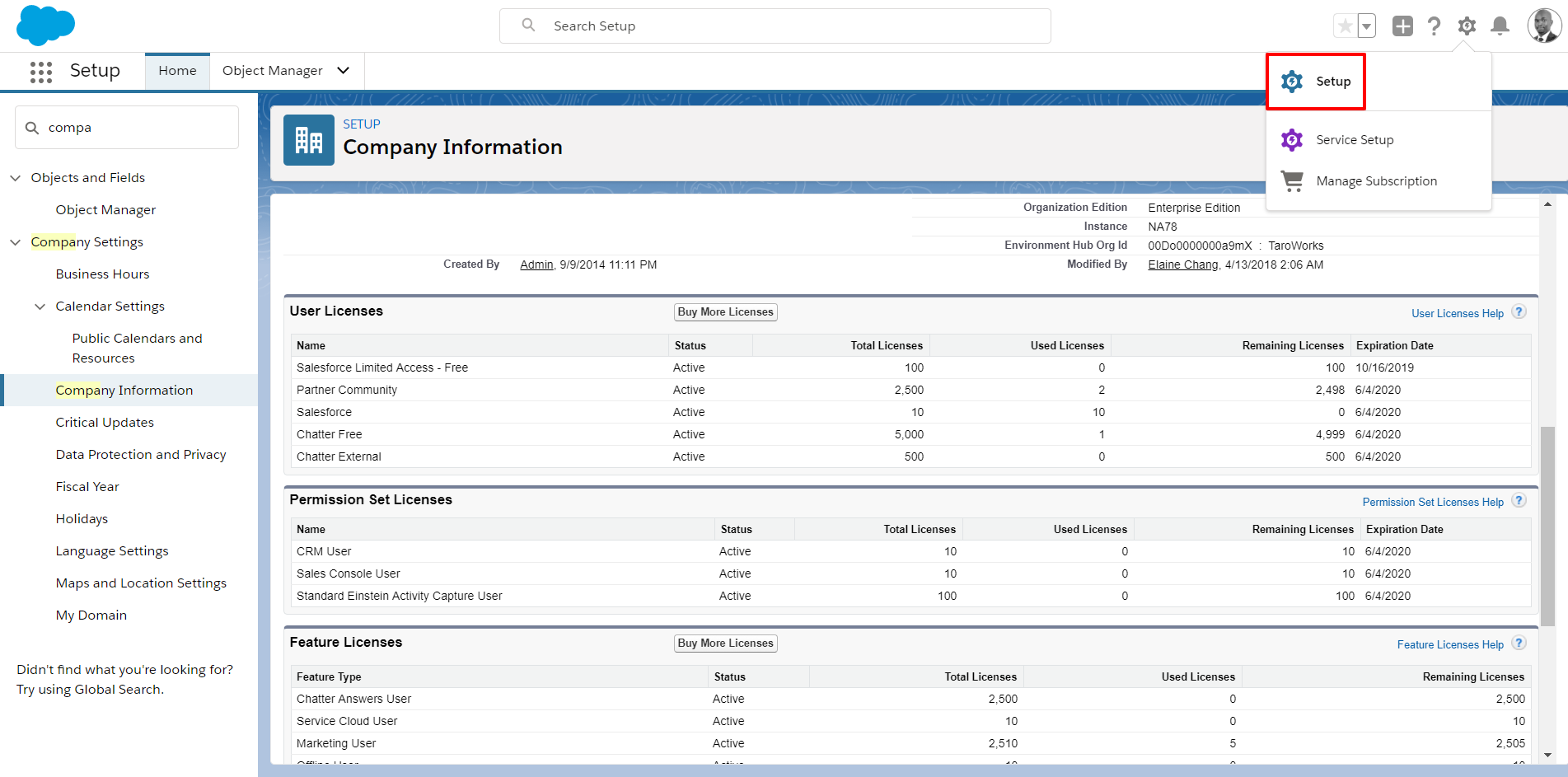
- Click Setup.
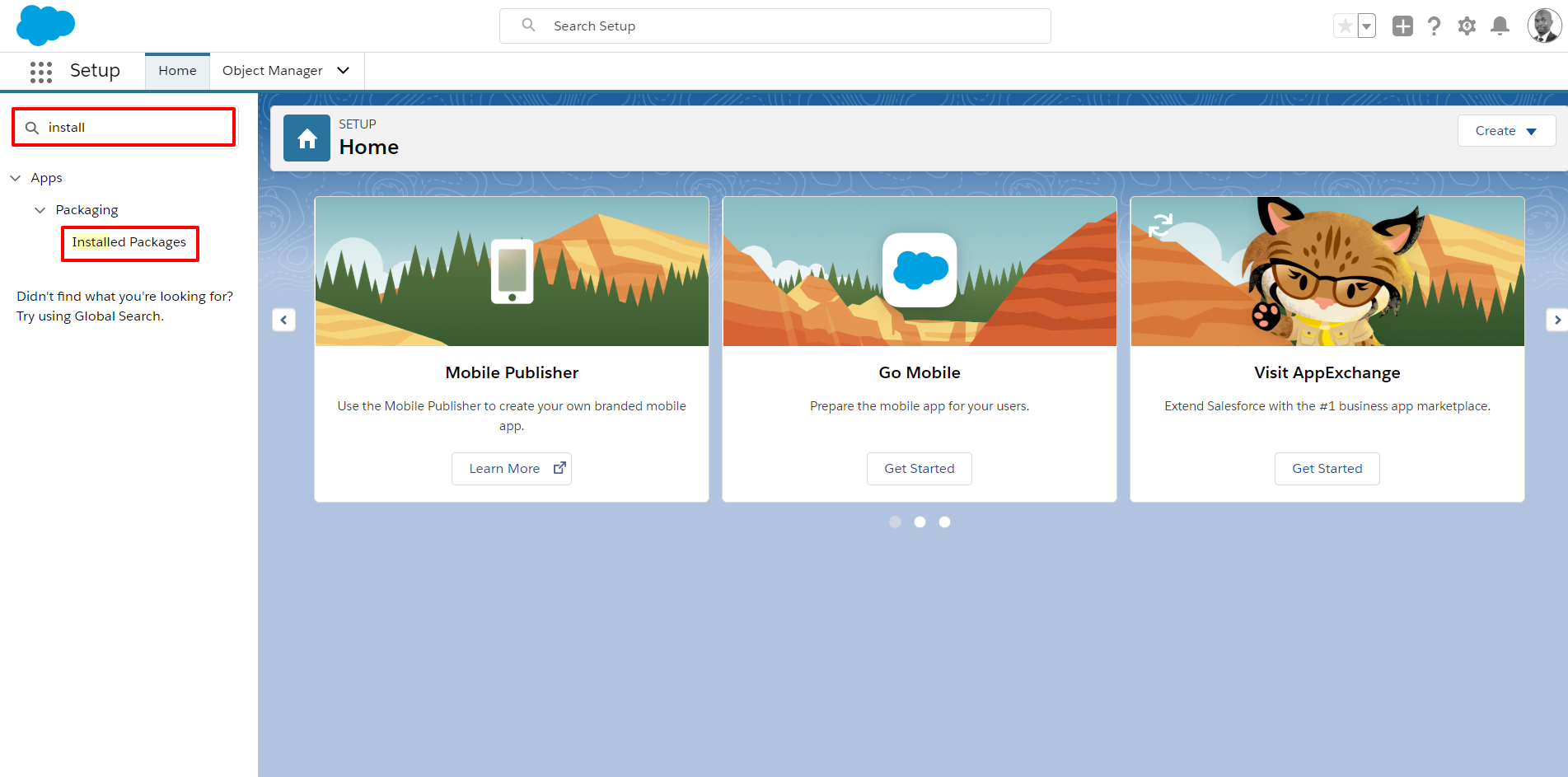
- Navigate to Quick Find Search Box and search for Installed Packages.
Tip: Type 'Install' in the search bar above the menu.
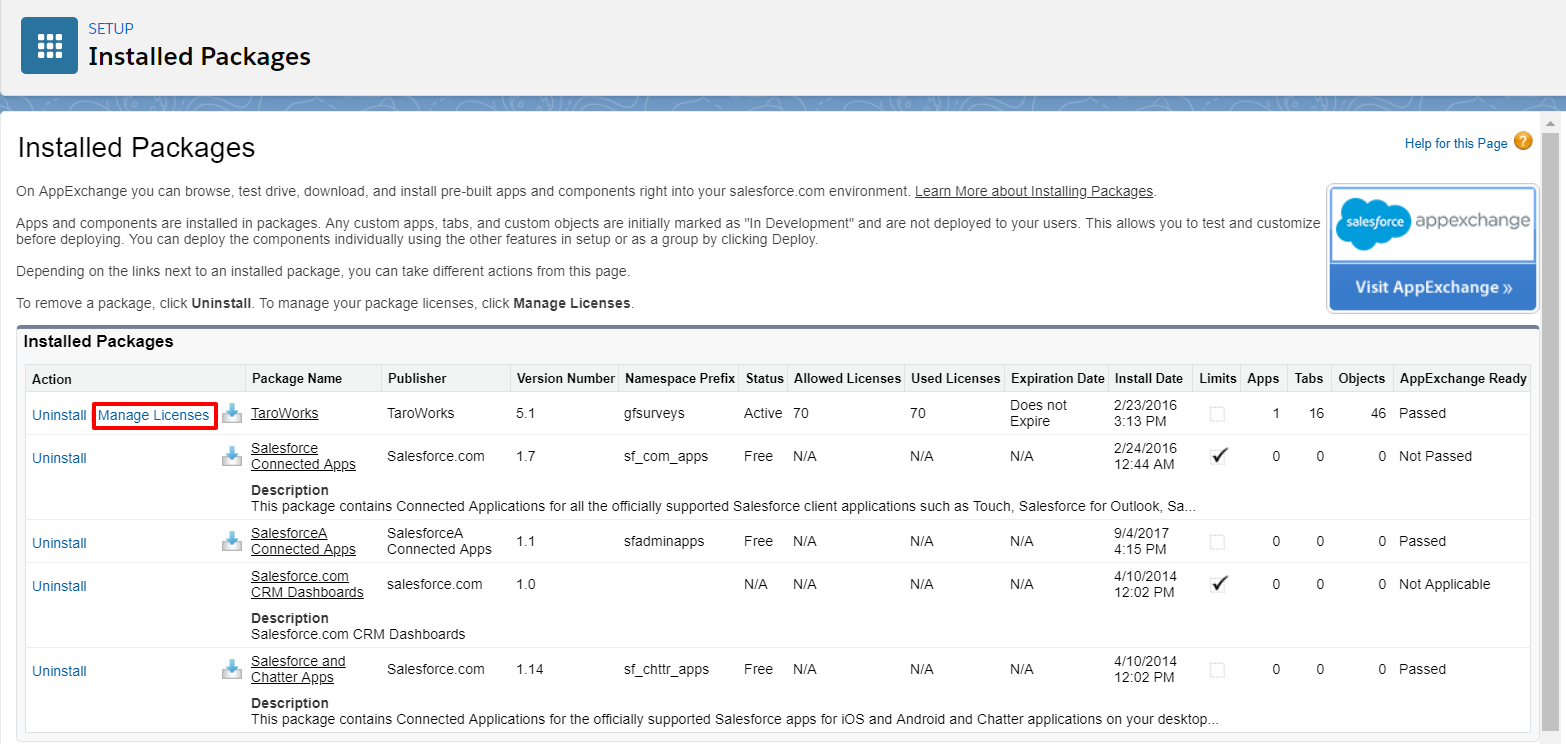
- Click Manage Licenses next to the package name TaroWorks.
-
Click Add Users button.

- Check the user record for which you'd like to add a TaroWorks license and click the Add button.

- User will be granted TaroWorks license.

Revoking a User a TaroWorks License
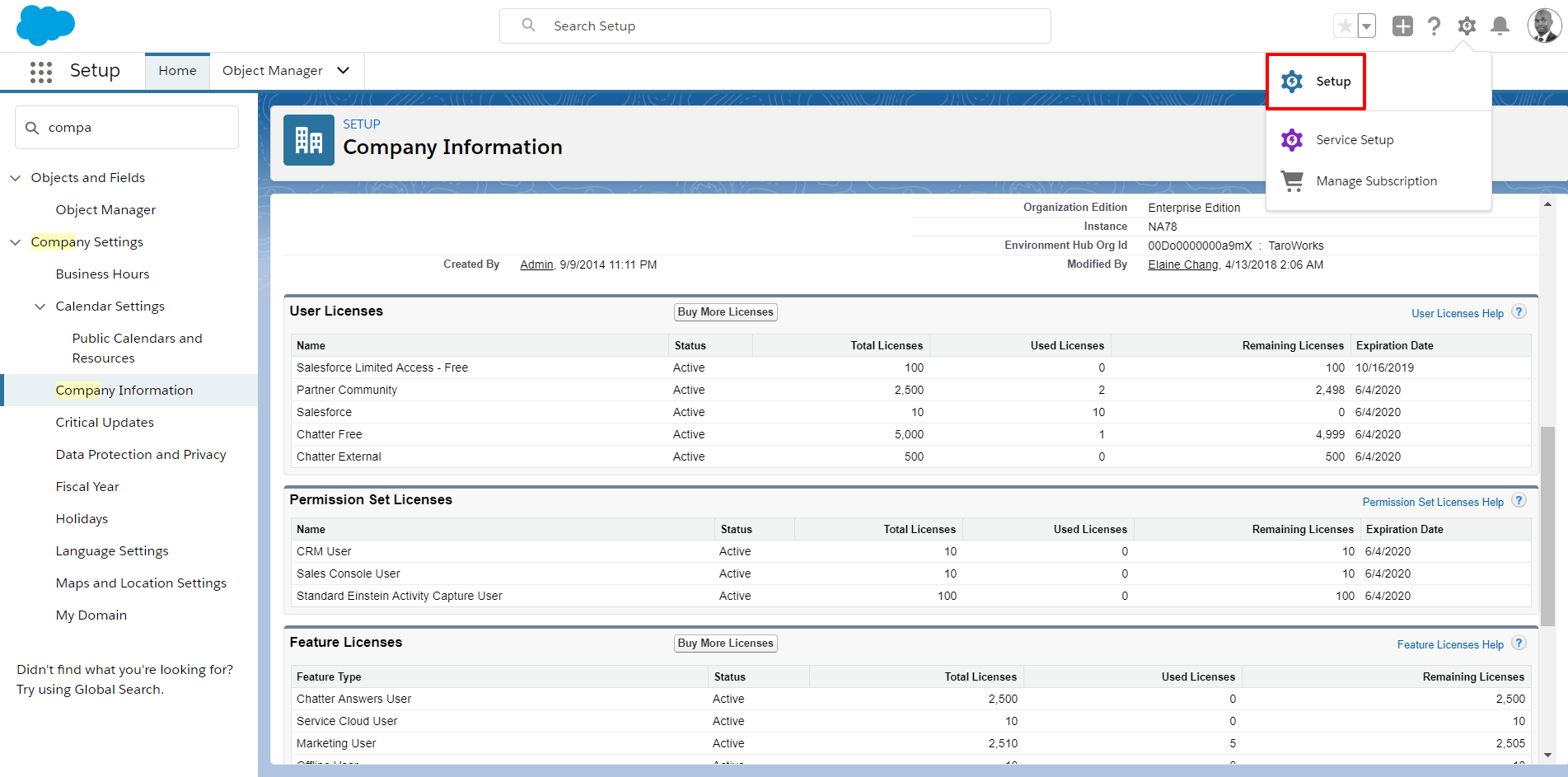
- Click Setup.
- Navigate to App Setup and click the option Installed Packages.
Tip: Type 'Install' in the search bar above the menu.
- Click Manage Licenses next to the package name TaroWorks.
- Click Remove for all user for which you want to remove the TaroWorks license.

- Click OK.


Comments
0 comments
Please sign in to leave a comment.