
Introduction
Available from TaroWorks 6.0, this feature will allow you to receive Mobile Money Collection data from Mobile Network Operators to your Salesforce instances. You can then use the data to reconcile those payments received with associated records in Salesforce. If you are ready to start an account with Beyonic, please contact your TaroWorks account manager or hello@taroworks.org.
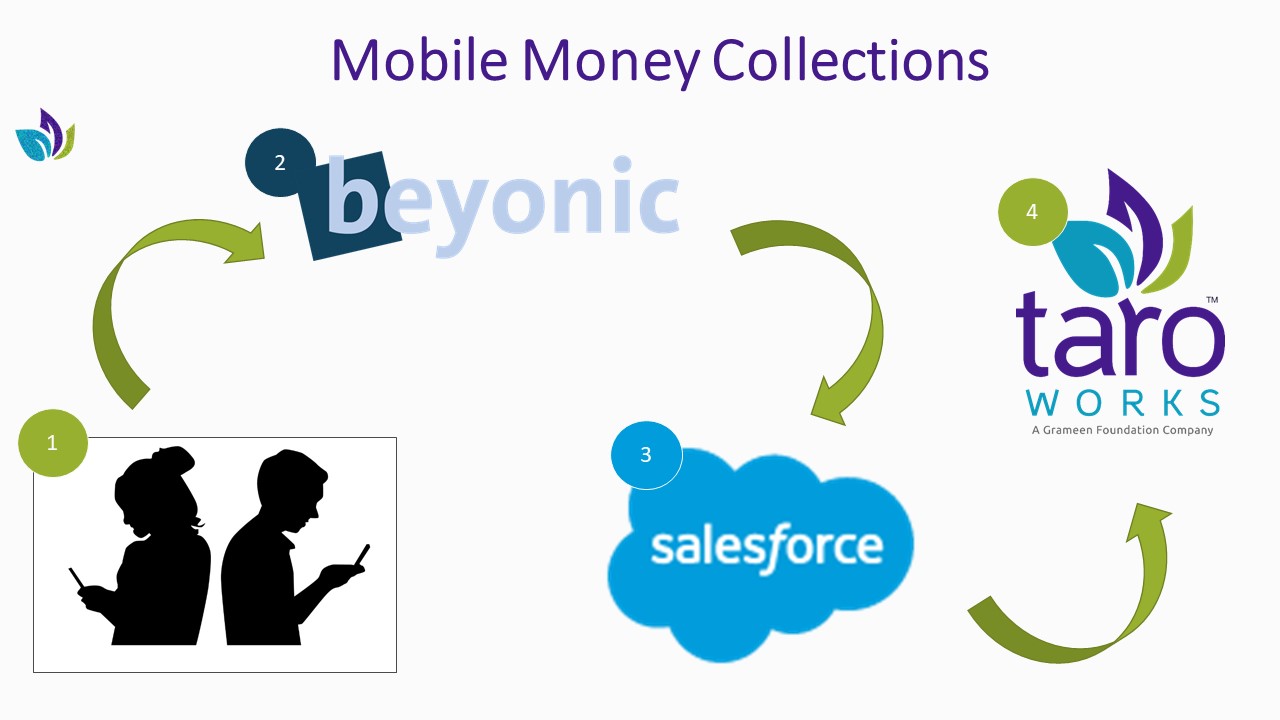
How does it work?
- Set up an account with our partner, Beyonic.
- Connect your Beyonic account to your Salesforce org.
- Your clients pay you using mobile money.
- Beyonic receives payment information from Mobile Network Operator (MNO).
- TaroWorks retrieves successful Collections (your customer payments) into Salesforce.
The following will be covered in this article:
A. Set up a Beyonic Trial Account
- Create a trial account here. While creating an account you can select the countries you want to use Beyonic in. After selecting the countries and account creation. Currencies will be activated in your Beyonic account related to those countries.
- To check the activated currencies go to Home> Company setting.
-
Follow these steps to get API Key :
-
Go to the 'Home' tab and click on 'Manage Users' button/icon
-
Click on the Username.
-
To get the token click on 'send new token' button.
-
A verification code will be received via SMS or call on the registered number.
-
Enter the Verification code in 'Verification token' field and click on the verify button.
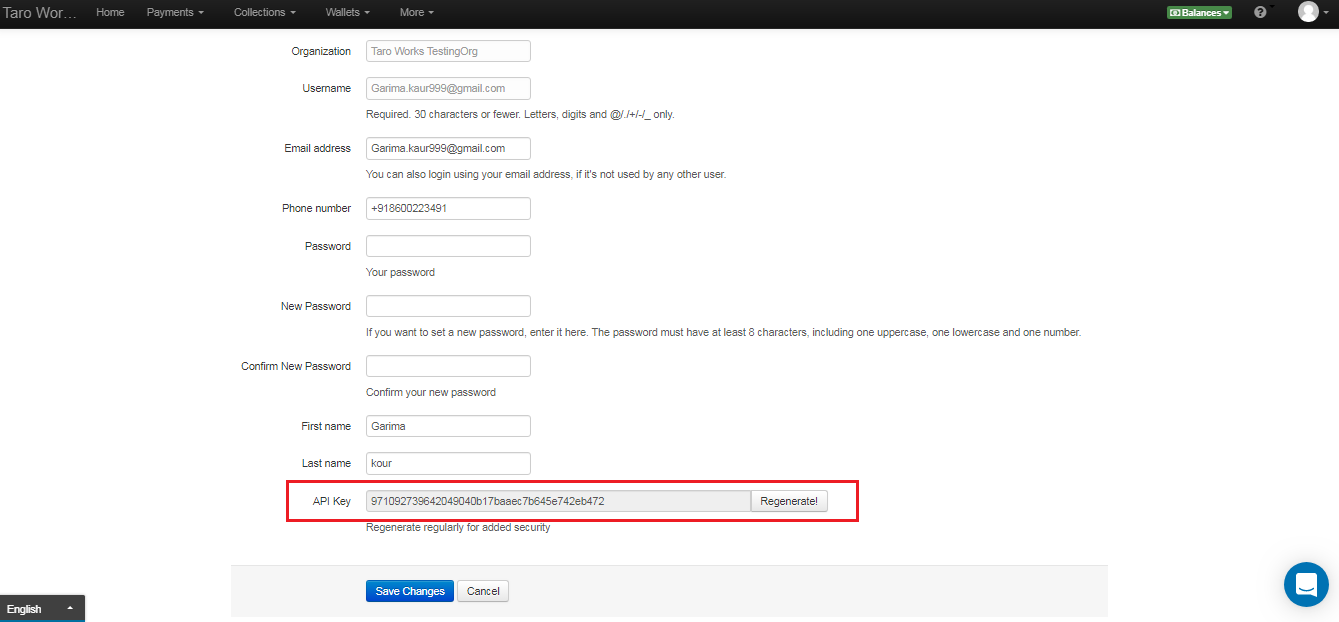
- User will be redirected to the user profile page where user will get the API Key as shown below:
-
For testing purpose, Beyonic provides a test currency
-
To enable the test currency. Please contact Beyonic's support team. You need to provide your Username to support team.
For any questions regarding setting up Beyonic account, please check their support site here.
B. Connect your Beyonic Account with your Salesforce instance
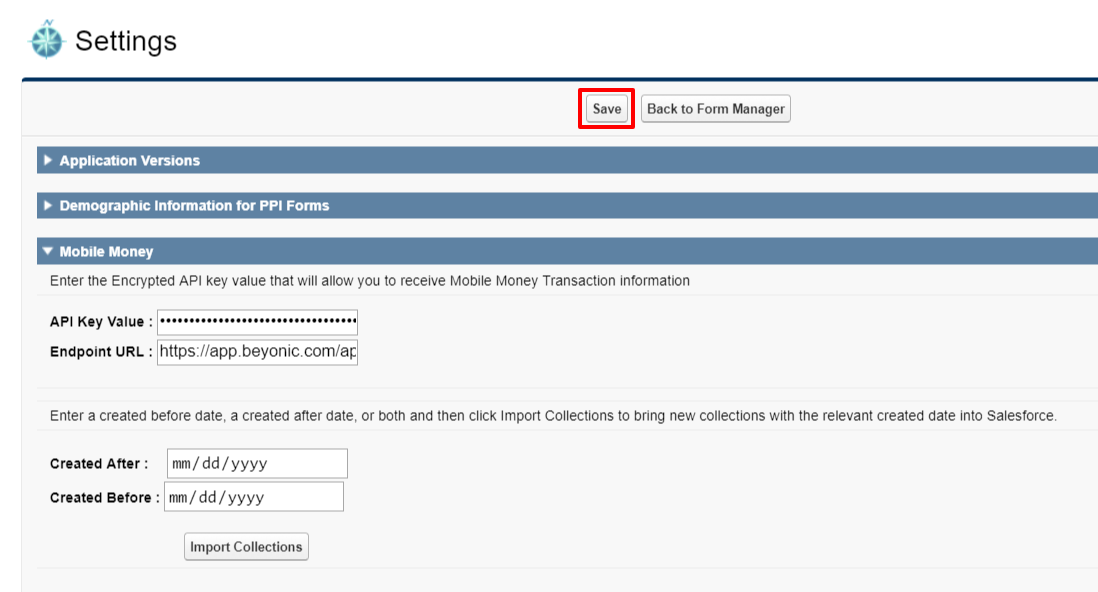
- In the App Launcher, search and select Application Settings.
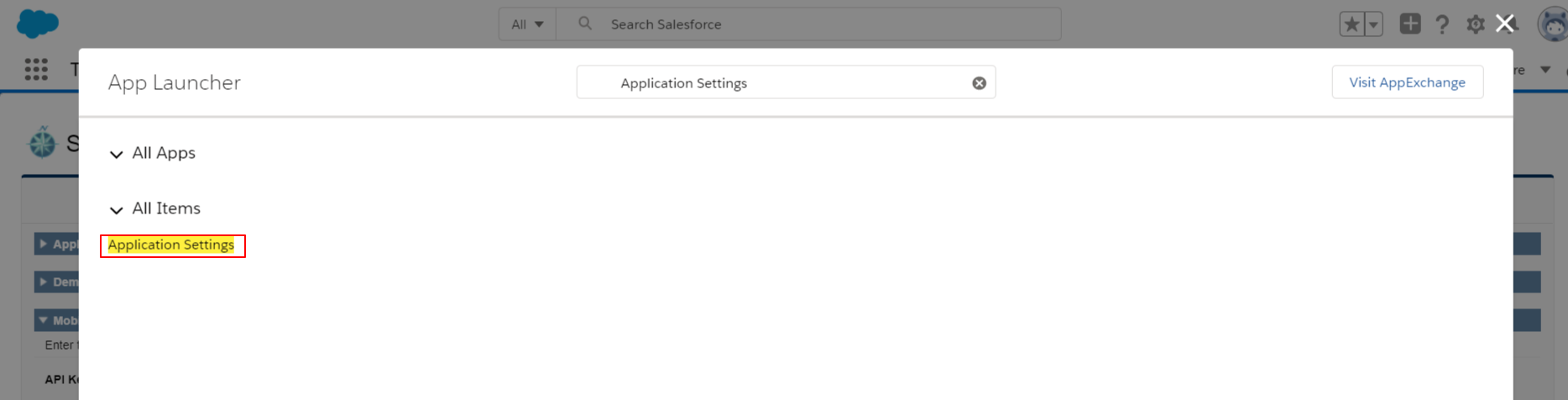
- Click Mobile Money.
-
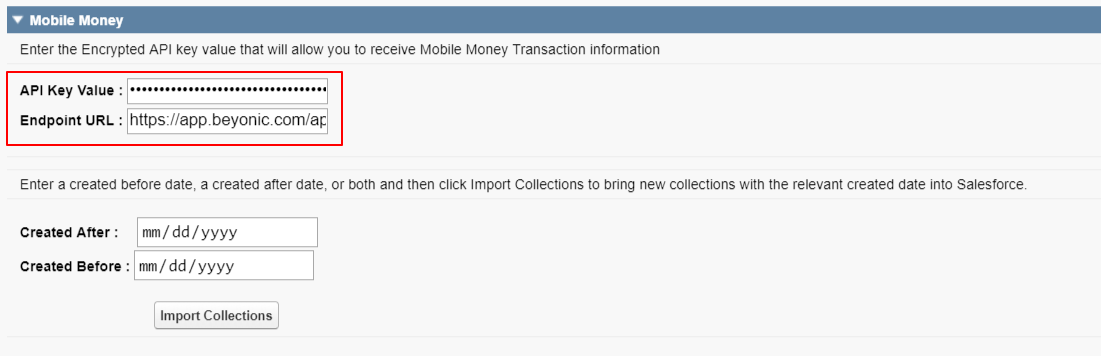
Enter your API Key Value. From instructions above.
-
Enter "https://app.beyonic.com/api/collections " for your Endpoint URL.
-
Click Save.
 Now that you have a Beyonic account connected to your Salesforce org, see our next article on how to import Collections.
Comments
0 comments
Please sign in to leave a comment.